Paying for a 100 Mbps fibre plan but getting 30 Mbps on your phone in the bedroom? The culprit is very often the router — either the basic one your ISP installed or an ageing single-band unit that cannot keep up. The good news: you do not need to spend a fortune to fix it — the search for the best wifi router under 2000 for 100mbps plan india ends with a simple truth: a good budget dual-band router is a real, achievable thing, as long as you know which specifications actually matter and which marketing claims to ignore.
This guide explains exactly what a ₹2,000 router can and cannot do, the specs to insist on, the mistakes that waste money, and how to set everything up with JioFiber, Airtel Xstream, or any other Indian ISP. Everyone researching the best wifi router under 2000 for 100mbps plan india is really asking one question — which specifications guarantee full speed without overspending — and this guide answers exactly that. We name real brands and real categories — no invented models, no fake review scores.
In this guide
- Why Your ISP’s Free Router Is Holding You Back
- What ₹2000 Actually Gets You in a Router
- Best WiFi Router Under 2000 for 100Mbps Plan: The Spec Checklist
- Single-Band vs Dual-Band: The One Decision That Matters Most
- Setting Up Your New Router with JioFiber, Airtel Xstream and Others
- Placement and Settings: Getting Full 100 Mbps Everywhere
- Mistakes to Avoid When Buying a Budget Router
- Frequently Asked Questions
Why Your ISP’s Free Router Is Holding You Back
When JioFiber, Airtel Xstream, or a local ISP installs your connection, they usually provide a basic router-ONT combo unit free or at a refundable deposit. These units are built to a price — the ISP’s price, not yours — and their WiFi performance is often the weakest link in an otherwise fast fibre connection. The fibre line delivers 100 Mbps to your home; the bundled router’s weak WiFi radios and basic antennas deliver a fraction of that to your devices.
The symptoms are familiar: full speed when sitting next to the router, sluggish speeds one room away, video calls that stutter, and smart TVs that buffer despite the “100 Mbps” plan. Many people blame the ISP and file complaints, when the actual bottleneck is the ten-metre journey through the air inside their own home.
A dedicated ₹2,000 router used alongside (or behind) the ISP’s device solves this for most homes. You are not paying for exotic features — you are paying for better WiFi radios, proper dual-band support, and antennas designed to actually radiate signal. For a typical 1–2 BHK home with a 100 Mbps plan, this single upgrade delivers the biggest speed improvement per rupee of anything you can buy for your home network.
What ₹2000 Actually Gets You in a Router
Let us set honest expectations. At under ₹2,000, you are shopping in the entry-level dual-band segment. What you can realistically get: a dual-band (2.4GHz + 5GHz) router with combined theoretical speeds in the AC750 to AC1200 class, 2–4 external antennas, Fast Ethernet or Gigabit WAN/LAN ports (insist on Gigabit — more below), and basic features like guest networks and parental controls.
What you will not get: WiFi 6 (that starts higher up the price ladder), MU-MIMO that actually works well under load, USB ports for file sharing, or the processing power to handle 30+ connected smart-home devices smoothly. For a 100 Mbps plan in a normal home with 8–15 devices, none of those missing features matter much. The AC1200 class is genuinely enough to saturate a 100 Mbps connection over WiFi — the limitation is almost never the router’s top speed at this tier, but signal quality and band selection.
Well-known brands in this segment include TP-Link, Mi (Xiaomi), D-Link, Mercusys, and Tenda. These are established names with service networks in India — prefer them over unbranded listings, because a router is a 24×7 device and you want firmware updates and warranty support. Within a brand’s lineup, ignore the flashiest model names and compare the spec sheet line by line using the checklist below.
Best WiFi Router Under 2000 for 100Mbps Plan: The Spec Checklist
When hunting for the best WiFi router under ₹2000 for a 100 Mbps plan in India, these are the specifications to verify before clicking buy. In order of importance:
1. Dual-band is non-negotiable
The router must broadcast both 2.4GHz and 5GHz networks. The 5GHz band is what delivers your full 100 Mbps over WiFi; 2.4GHz is slower but travels further through walls. A single-band 2.4GHz-only router cannot deliver 100 Mbps over WiFi in real-world conditions, no matter what the box claims. If a listing does not clearly say “dual-band,” assume it is not.
2. Gigabit WAN port (this is the hidden trap)
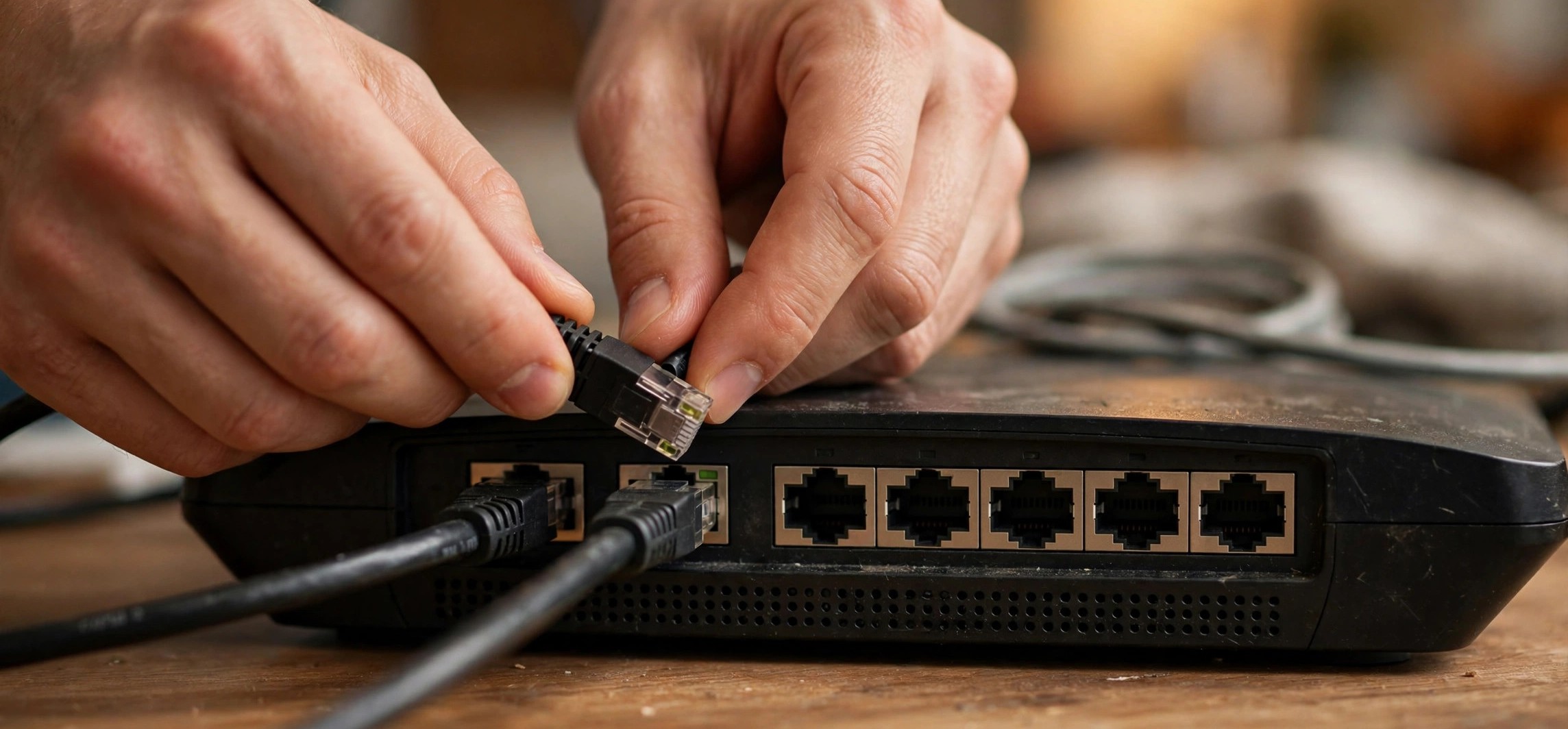
Some budget routers have 100 Mbps (Fast Ethernet) WAN ports. On a 100 Mbps plan, a 100 Mbps port becomes the bottleneck — after overhead, you will max out around 90–94 Mbps wired, and the limitation is baked into the hardware. Insist on a Gigabit (10/100/1000) WAN port. This single line on the spec sheet separates routers that can truly handle your plan from ones that cannot. Check it carefully, because sellers love to bury it.
3. AC1200 class or better
Look for “AC1200” (or the older “N300 + AC867” style labelling) as the minimum WiFi class. AC750 routers exist at lower prices and can technically carry 100 Mbps, but AC1200 gives you headroom and better 5GHz performance. Do not pay extra for bigger numbers like AC1900 at this budget — the extra throughput is theoretical and you will not see it on a 100 Mbps plan.
4. External antennas (2–4)
External adjustable antennas generally outperform internal ones at this price tier, and they let you angle the signal toward where you need it. Four antennas is nice; two good ones beat four bad ones. Antenna count is a rough proxy, not a guarantee — but all else equal, prefer more.
5. Basic software features
At minimum, expect: a guest network (so visitors do not get your main WiFi password), basic parental controls or access scheduling, and a mobile app or web interface for setup. WPA2 security is the minimum; WPA3 support is a bonus at this price. Avoid routers whose setup requires a cloud account you cannot skip — check reviews for this.
Single-Band vs Dual-Band: The One Decision That Matters Most
This deserves its own section because it is where most budget buyers go wrong. India is drowning in cheap single-band (2.4GHz-only) routers, often priced temptingly at ₹800–₹1,200. They look like a bargain. They are not — not for a 100 Mbps plan.
The 2.4GHz band is crowded. Your neighbours’ routers, Bluetooth devices, microwave ovens, and even some cordless phones all share it. In an apartment building, the 2.4GHz spectrum is a traffic jam, and real-world speeds of 20–40 Mbps are typical even with a “300 Mbps” labelled router. The 5GHz band has far more channels, far less interference, and much higher real-world throughput — routinely 150–400 Mbps on an AC1200 router in the same room.
The practical setup: connect your phone, laptop, and smart TV to the 5GHz network for full speed, and leave IoT gadgets (smart bulbs, plugs, cameras) on 2.4GHz, which they prefer anyway for its longer range. Most dual-band routers can use the same network name for both bands (band steering) or separate names — separate names give you manual control and are usually the better choice for beginners who want to be sure which band they are on.
Bottom line: on a 100 Mbps plan, a dual-band router is not a luxury — it is the minimum hardware required to actually experience the speed you are paying for. Spend the extra few hundred rupees over a single-band unit; it is the highest-value money in this entire purchase.
Setting Up Your New Router with JioFiber, Airtel Xstream and Others
With most Indian fibre connections, you cannot simply replace the ISP’s device — it contains the ONT (the fibre modem) that authenticates your connection. The standard approach is to keep the ISP device and add your new router behind it. There are two clean ways to do this.
Option A: Access Point mode (simplest). Connect your new router to the ISP device with an Ethernet cable, set the new router to Access Point (AP) mode, and let the ISP device handle routing. Your new router just provides better WiFi. This avoids double-NAT issues and takes ten minutes. Most TP-Link, Mi, and D-Link routers have an AP mode toggle in their settings or app.
Option B: Router behind router. Connect the new router’s WAN port to the ISP device’s LAN port and let the new router create its own network. This gives you full control of the new router’s features but creates a “double NAT” situation, which can occasionally complicate online gaming and port forwarding. For most households, Option A is cleaner.
One important note: put the ISP device’s WiFi on a different channel or turn its WiFi off entirely if your new router covers the whole home — two routers shouting on the same channels creates interference. Also, use a good Ethernet cable (Cat5e or Cat6) between the devices; a damaged old cable can silently cap you at 100 Mbps or less.
If you experience power cuts, remember that both the ISP’s ONT and your new router need power to keep the internet alive — a UPS for your WiFi router with dual output covers both devices and is one of the best sub-₹2,500 upgrades for work-from-home reliability.
Placement and Settings: Getting Full 100 Mbps Everywhere
A ₹2,000 router placed badly will lose to a ₹1,200 router placed well. Placement is free performance. Put the router in a central, elevated, open location — on a shelf in the living room beats inside a TV cabinet or behind the sofa. WiFi signals spread outward and slightly downward, so height helps. Keep it away from metal objects, mirrors, and thick concrete walls where possible.
Antenna positioning matters: on multi-antenna routers, point one antenna vertically and one horizontally (or splay them at angles) rather than all straight up. This covers both vertically-oriented phones in pockets and horizontally-oriented laptops better than a uniform arrangement.
In the settings, two tweaks help. First, set the 5GHz channel width to 80MHz if available — this maximises throughput on the 5GHz band. Second, if your router offers it, enable QoS (Quality of Service) and prioritise video calls and gaming; on a 100 Mbps connection with multiple users, this prevents one person’s 4K stream from choking everyone else’s call. Finally, update the firmware after setup — budget routers ship with old firmware more often than you would expect, and updates fix both bugs and security holes.
Test properly: stand in the same room as the router, connect to the 5GHz network, and run a speed test. You should see close to your plan speed (90–110 Mbps on a 100 Mbps plan is normal). Then test in the farthest room — if speeds collapse there, the issue is coverage, not the router’s capability, and the fix is repositioning or a second access point, not a more expensive router. If your whole setup still relies on mobile data as backup, enabling Wi-Fi calling on Jio, Airtel or Vi keeps your calls crystal-clear over that fast WiFi.
Mistakes to Avoid When Buying a Budget Router
Buying single-band to save ₹400. Covered above — on a 100 Mbps plan, this is the costliest “saving” in home networking. Ignoring the WAN port speed. A 100 Mbps WAN port on a 100 Mbps plan means you never quite get what you pay for; Gigabit is the requirement. Chasing antenna count alone. Eight antennas on a router with weak radios is marketing, not engineering — check the WiFi class and reviews instead.
Believing the “up to” speed on the box. “AC1200” means 867 Mbps + 300 Mbps of theoretical combined throughput under lab conditions. Real-world 5GHz speeds in the same room are typically 150–400 Mbps — still far more than your 100 Mbps plan needs, but do not expect four digits. Buying a “gaming router” at this budget. Gaming branding under ₹2,000 is pure sticker; the hardware inside is the same entry-level chipset as everything else at the price.
Forgetting about the modem question. If you are on BSNL DSL or another connection that needs a separate modem, a router alone is not enough — confirm whether your connection needs a modem-router combo or whether the ISP provides the modem. And not checking return policies: WiFi performance depends on your home’s layout, so buy from a seller with a straightforward return window in case the coverage does not work out in your specific rooms.
Frequently Asked Questions
Can a router under ₹2000 really handle a 100 Mbps plan?
Yes, provided it is dual-band (AC1200 class) with a Gigabit WAN port. The 5GHz band on such a router delivers 150–400 Mbps in real-world conditions — more than enough to saturate a 100 Mbps connection. The bottleneck on budget setups is almost always the WiFi band or the WAN port, not the router’s processing power.
Should I replace my JioFiber or Airtel Xstream router completely?
Usually no — the ISP’s device contains the fibre ONT that authenticates your line, and you typically cannot replace it with a retail router. The standard approach is to keep the ISP device and add your new router behind it in Access Point mode for much better WiFi.
Is WiFi 6 necessary for a 100 Mbps plan?
No. WiFi 6’s advantages (better efficiency with many devices, slightly higher throughput) matter most on faster plans and in device-dense smart homes. On a 100 Mbps plan with a typical number of devices, a good WiFi 5 (AC1200) router delivers the full plan speed. Save the WiFi 6 premium for when you upgrade to a 200+ Mbps plan.
How many devices can a ₹2000 router handle?
Comfortably 10–15 active devices for typical home use. If you have 25+ connected gadgets including many smart-home devices, the router’s processor can become a bottleneck regardless of the WiFi speed — that is the point where stepping up to a mid-range router makes sense.
Do I need a mesh system instead?
Only if you have a coverage problem, not a speed problem. If a single well-placed ₹2,000 router covers your 1–2 BHK home, mesh is unnecessary expense. Mesh makes sense for large homes (3+ BHK), multi-floor houses, or layouts with signal-killing concrete walls between rooms.
Will a new router reduce my ping for gaming?
It can help modestly. A better router with the 5GHz band and QoS prioritisation reduces WiFi-induced latency spikes compared to a congested 2.4GHz connection on an ISP router. But your base ping is determined by the ISP’s routing and server distance — no router can fix a 60ms route to the game server. If mobile gaming is your thing, also check our guide on fixing Airtel 5G issues on Android.
Searching for the best wifi router under 2000 for 100mbps plan india comes down to a short checklist, not a specific model: dual-band AC1200, Gigabit WAN port, 2–4 external antennas, and a reputable brand with service support. Get those four right, place the router sensibly, and you will finally see the full speed you are paying for — in every room, on every device.
For a plain-English explanation of the underlying technology, see Wikipedia’s overview of Wi-Fi.