Seeing “No Service” on your phone when you have a perfectly good Jio SIM inside is one of the most frustrating things a mobile user can face in India. You can’t make calls, receive OTPs, or use mobile data — and the Jio SIM no service problem can strike at the worst possible moment, whether you’re travelling, waiting for an important message, or working remotely. The good news is that in the vast majority of cases, this is a fixable software or configuration issue rather than a dead network, and you can usually solve it at home in under ten minutes.
In this guide, we walk you through the exact steps to diagnose and fix the Jio SIM no service problem, ordered from the simplest to the most advanced. These methods work on all Android phones — Samsung, Xiaomi, Realme, Vivo, OnePlus, Motorola, and others — with both physical Jio SIMs and Jio eSIMs. Before we get into the fixes, let’s understand why the problem happens in the first place.
In This Guide
- Why Your Jio SIM Shows No Service: Common Causes
- Quick Checks Before You Start Fixing
- Fix the Jio SIM No Service Problem: 5 Proven Methods
- Correct Jio APN Settings for 2026
- When a Dead or Damaged SIM Is the Culprit
- Contacting Jio Support: What to Say
- Frequently Asked Questions
Why Your Jio SIM Shows No Service: Common Causes
The Jio SIM no service problem rarely has a single cause. Your phone shows “No Service” whenever it cannot register with the mobile network, and that can happen for reasons ranging from a loose SIM card to an expired recharge. Understanding the likely cause saves you from trying fixes at random.
Expired or missing recharge
Jio is a 4G-only operator in India, which means it does not fall back to 2G for basic connectivity. If your plan validity has lapsed, Jio can bar network access entirely, and your phone will display “No Service” instead of just blocking data. This is the single most common reason behind the Jio SIM no service problem, and it is also the easiest to check.
SIM card not seated properly
A SIM card that has shifted slightly in its tray — after a drop, a knock, or even routine handling — can lose contact with the phone’s reader pins. Dust, pocket lint, or oxidation on the gold contacts can cause the same symptom. If the problem appeared right after you opened the SIM tray, this is almost certainly the cause.
Wrong network mode or APN settings
Jio requires the phone to use LTE/4G (and 5G where available) as the preferred network type. If the network mode has been changed to 3G/2G only — sometimes done accidentally, sometimes by a third-party app — the phone cannot attach to Jio’s all-4G network at all. Corrupted or wrong APN (Access Point Name) settings usually break data rather than voice, but in some cases they prevent network registration too.
Carrier settings or software bugs
A glitchy system update, a failed carrier-settings update, or a stale network cache can leave the phone unable to complete registration with the network. This is why a simple restart fixes the Jio SIM no service problem so often: it clears the modem’s temporary state and forces a fresh registration attempt.
Account-level or SIM provisioning issues
Sometimes the problem is not your phone at all. If a new SIM was never fully activated, if an MNP (port-in) request is stuck halfway, or if the SIM has been deactivated for KYC reasons, the network will reject registration. In these cases, no amount of phone-side tweaking will help, and you need to deal with Jio directly.
Quick Checks Before You Start Fixing
Before diving into the detailed fixes, run through these sixty-second checks. They rule out the trivial causes of the Jio SIM no service problem so you don’t waste time on deeper troubleshooting.
- Check plan validity: Open the MyJio app on another device or dial 199 from another phone to confirm your plan is active. A lapsed recharge is the number-one cause of sudden “No Service” on Jio.
- Look for network outages: Ask someone nearby with a Jio SIM whether their signal works. If nobody’s phone has signal, it’s a tower or outage issue — wait it out rather than resetting your phone.
- Check airplane mode: Swipe down your quick settings and make sure Airplane Mode is off. It sounds obvious, but accidental toggles are surprisingly common.
- Try a different location: Move outdoors or near a window. Basements, elevators, and thick concrete buildings block signals, and the Jio SIM no service problem sometimes disappears the moment you step outside.
- Check the SIM slot: If you have a dual-SIM phone, confirm which slot the Jio SIM is in and whether the phone recognises the card at all (Settings > About phone > SIM status).
If none of these checks explains the problem, move on to the step-by-step fixes below.
How to Fix the Jio SIM No Service Problem: 5 Proven Methods
Work through these methods in order. Each one takes only a couple of minutes, and most people find their signal restored by step two or three.
Method 1: Restart your phone (and cycle airplane mode)
Start with the basics. Power your phone off completely, wait about 30 seconds, and turn it back on. A full restart clears the modem cache and forces the phone to re-register on the Jio network from scratch. If a plain restart doesn’t work, try the airplane-mode cycle: turn Airplane Mode on, wait 30 seconds, then turn it off and give the phone up to two minutes to find the network. This forces a fresh network scan without rebooting the whole device, and it resolves temporary registration failures surprisingly often.
Method 2: Remove and reseat the SIM card
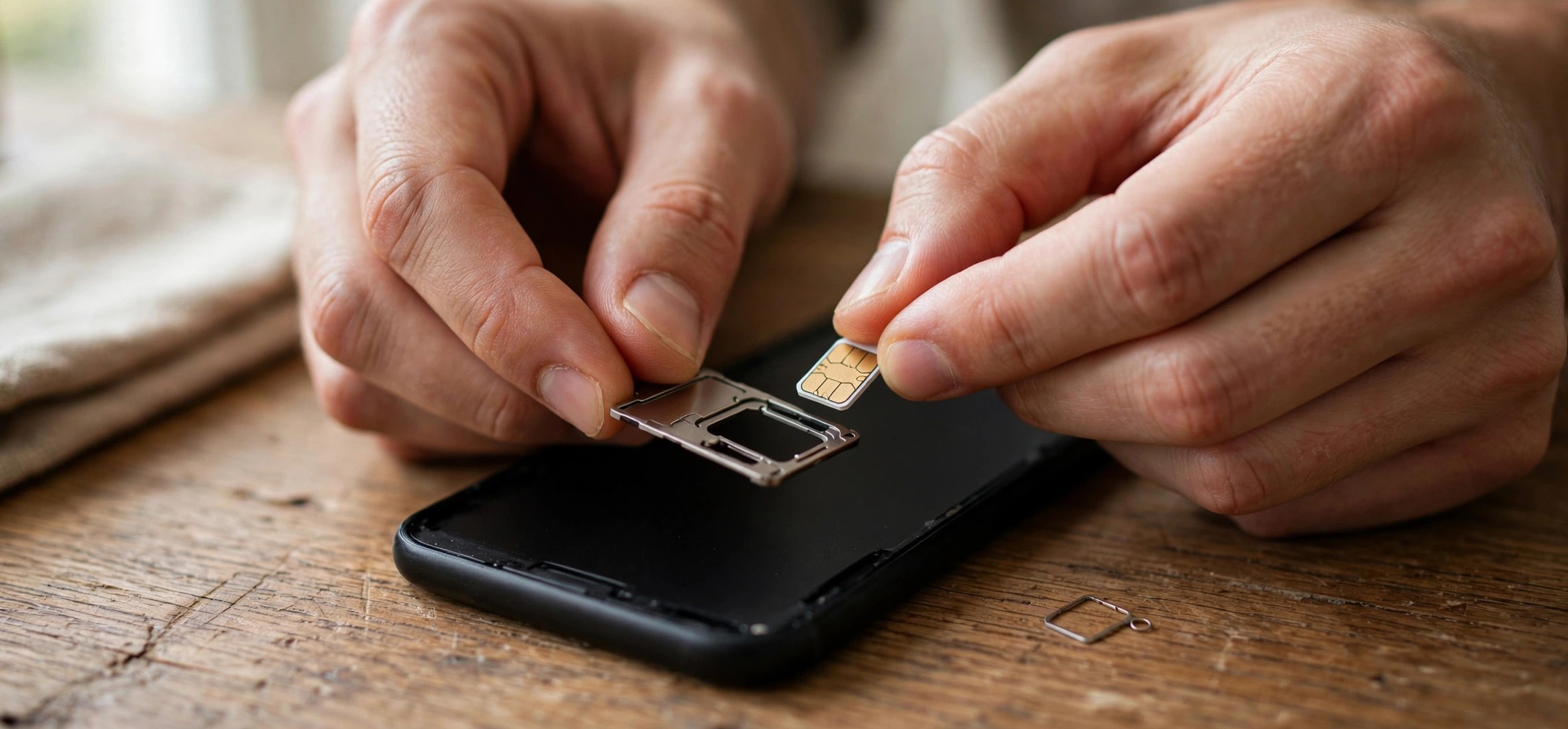
Power the phone off first — never remove a SIM while the phone is on. Eject the SIM tray with the ejector pin, take the Jio SIM out, and inspect it. Wipe the gold contacts gently with a soft, dry cloth; avoid water, saliva, or abrasive materials. Blow out any dust from the tray and slot, then reinsert the SIM firmly so it sits flat in the tray. Push the tray back in until it clicks, then power the phone on.
If you have a dual-SIM phone, try moving the Jio SIM to the other slot. A worn or damaged slot can cause the Jio SIM no service problem even when the card itself is fine. This single test tells you whether the fault is in the phone or the SIM.
Method 3: Set the correct network mode
Jio runs a 4G LTE and 5G network only — it has no 2G or 3G fallback. Your phone must be allowed to use LTE, or it will show “No Service” permanently.
- Open Settings > Network & Internet > SIMs > Jio > Preferred network type (the exact path varies slightly by brand).
- Select 5G/4G/3G/2G (auto) or 4G/3G/2G (auto). On a 5G phone in a 5G area, the 5G-inclusive option is best.
- Never select 3G/2G only or 2G only — your Jio SIM cannot register on those.
- While you’re here, tap Automatically select network so the phone picks the strongest Jio signal rather than clinging to a weak one.
On Samsung phones the path is typically Settings > Connections > Mobile networks > Network mode; on Xiaomi/Redmi and Realme it is Settings > SIM cards & mobile networks > Jio > Preferred network type. If you recently used a dual-SIM data-switching feature or a “battery saver” app that touches network settings, double-check this menu — those tools are frequent culprits.
For related connectivity fixes, see our guide on how to fix Airtel 5G not working on Android, which covers the same network-mode principles on another operator.
Method 4: Reset APN and network settings
Wrong APN settings are a classic trigger for the Jio SIM no service problem after system updates. Resetting them is safe and takes a minute.
- Go to Settings > Network & Internet > SIMs > Jio > Access Point Names.
- Tap the three-dot menu and choose Reset to default.
- Make sure an APN named JioNet (or Jio 4G) is selected, with the APN field set to jionet.
- If data still misbehaves after a reset, do a full network settings reset: Settings > System > Reset options > Reset Wi-Fi, mobile & Bluetooth. Note that this erases saved Wi-Fi passwords and Bluetooth pairings, so use it only after the simpler steps fail.
Method 5: Manually select the Jio network
When automatic network selection gets stuck, choosing the network by hand can break the deadlock.
- Go to Settings > Network & Internet > SIMs > Jio > Network (or Mobile networks > Network operators).
- Turn off Automatically select network and wait for the scan to finish (it can take a minute).
- Select Jio 4G (or Reliance Jio) from the list.
- If registration fails here too, note the exact error — “Couldn’t register” or “SIM not provisioned” points to an account-level issue, which we cover below.
Here is a quick reference mapping the most common causes to the right fix:
| Symptom | Likely cause | Fix to try |
|---|---|---|
| No Service right after plan expired | Lapsed recharge | Recharge via MyJio and restart |
| No Service after dropping the phone | Loose or damaged SIM | Reseat or replace the SIM card |
| No Service on a new phone | Wrong network mode | Set preferred network to 4G/5G auto |
| No Service after a software update | Corrupted carrier settings | Reset APN and network settings |
| “SIM not provisioned” error | Account/activation issue | Contact Jio support or visit a store |
Correct Jio APN Settings for 2026
If resetting to default didn’t create a working APN, you can enter Jio’s official APN values manually. These have been stable for years, so they apply through 2026.
- Name: JioNet
- APN: jionet
- APN type: default,supl
- APN protocol: IPv4/IPv6
- Bearer: LTE (select all available bearers if unsure)
- Leave username, password, proxy, port, and MMSC fields blank.
After saving, select the new APN, restart the phone, and test both calls and mobile data. If calls work but data doesn’t (or vice versa), the APN is the first place to look. You can read more about how SIM profiles and network registration work in our explainer on what eSIM is and how it works in India.
When a Dead or Damaged SIM Is the Culprit
If you’ve worked through all five methods and the Jio SIM no service problem persists — especially if the same SIM shows “No Service” in a second phone — the SIM card itself is likely dead. Physical SIMs do wear out: the gold contacts corrode, the chip cracks from repeated tray removals, and very old cards can simply reach end of life.
How to confirm the SIM is dead
Insert the Jio SIM into a different phone. If that phone also shows no service while other SIMs work fine in your phone, the card is the problem, not the device. Conversely, if your phone shows no service with every SIM you try, the phone’s modem or SIM reader needs professional repair.
Getting a free or low-cost replacement
Jio issues duplicate SIMs at Jio Stores and partner outlets. Carry your Aadhaar card (or another valid ID) linked to the number, and ask for a SIM swap. The replacement is typically issued the same day for a nominal fee, and activation usually completes within a few hours. Your number, plan, and balance carry over unchanged. While you’re sorting out connectivity, our guide to enabling Wi-Fi calling on Jio, Airtel, and Vi can keep your calls working over Wi-Fi in the meantime.
Contacting Jio Support: What to Say
If the problem is account-level — a stuck port-in, a deactivated number, or a provisioning fault — only Jio can fix it. Here’s how to reach them and what to tell them so you get a resolution instead of a runaround.
- From another Jio number: call 198 (complaints) or 199 (general support).
- From any phone: call the toll-free helpline 1800-889-9999.
- In the app: open MyJio on a working device, go to Help > Raise a request, and describe the issue — you’ll get a service request (SR) number to track.
When you get through, give them three things: your Jio number, the exact error on screen (“No Service” vs “SIM not provisioned” vs “Emergency calls only”), and what you’ve already tried (restart, reseat, network-mode check). This skips the scripted basics and gets you to a technical agent faster. If the agent confirms an account-side fault, ask for the SR number and a resolution timeline, and follow up in MyJio under Help > My Requests.
For official troubleshooting resources, see Jio’s official help portal.
Frequently Asked Questions
Why does my Jio SIM suddenly show no service?
The most common reasons are an expired recharge, a loose or dirty SIM card, the network mode being set to 3G/2G only, or a temporary network outage in your area. Work through the quick checks at the top of this guide first — a lapsed plan alone accounts for a large share of sudden Jio SIM no service problem cases.
What is the difference between “No Service” and “Emergency calls only”?
“No Service” means your phone can’t see any usable network at all. “Emergency calls only” means the phone sees a network (sometimes a rival operator’s tower) but your SIM isn’t authorised to register on it. If you see the latter on a Jio SIM, check your plan validity and SIM activation status first.
Does the Jio SIM no service problem affect eSIMs too?
Yes. eSIMs skip the physical-contact issues, but they are equally affected by network-mode mistakes, expired plans, and provisioning faults. If your Jio eSIM shows no service, try the restart, network-mode, and APN steps above, then check with Jio support whether the eSIM profile needs to be re-provisioned.
My Jio SIM stopped working right after a software update. What should I do?
Updates sometimes corrupt carrier settings or reset the preferred network type. Reset your APN to default (Method 4 above), confirm the network mode includes 4G/5G, and restart. If that fails, reset all network settings from the Reset options menu — this clears the corrupted state without deleting your photos, apps, or files.
How long does a new Jio SIM take to activate?
After eKYC verification at the store, activation typically completes within a few hours, though it can occasionally take up to 24 hours. If your new SIM still shows no service after a full day, call 1800-889-9999 from another phone — the activation may be stuck on Jio’s side and need a manual push.
Mobile data works but I can’t make calls on my Jio SIM. Is this the same problem?
Not exactly. If data works, your SIM is registered on the network, so this is a voice-provisioning or VoLTE issue rather than the classic Jio SIM no service problem. Check that VoLTE is enabled in your SIM settings, and see our Wi-Fi calling guide as a workaround while you troubleshoot.
Conclusion
The Jio SIM no service problem looks alarming but is usually fixed in minutes: check your recharge, restart the phone, reseat the SIM, confirm the network mode includes 4G/5G, and reset the APN. Only when all of those fail — or when the same SIM misbehaves in a second phone — should you suspect a dead SIM or an account-level fault that needs Jio support. Work the steps in order, note any error messages you see along the way, and you’ll have your signal back without a trip to the store in most cases.