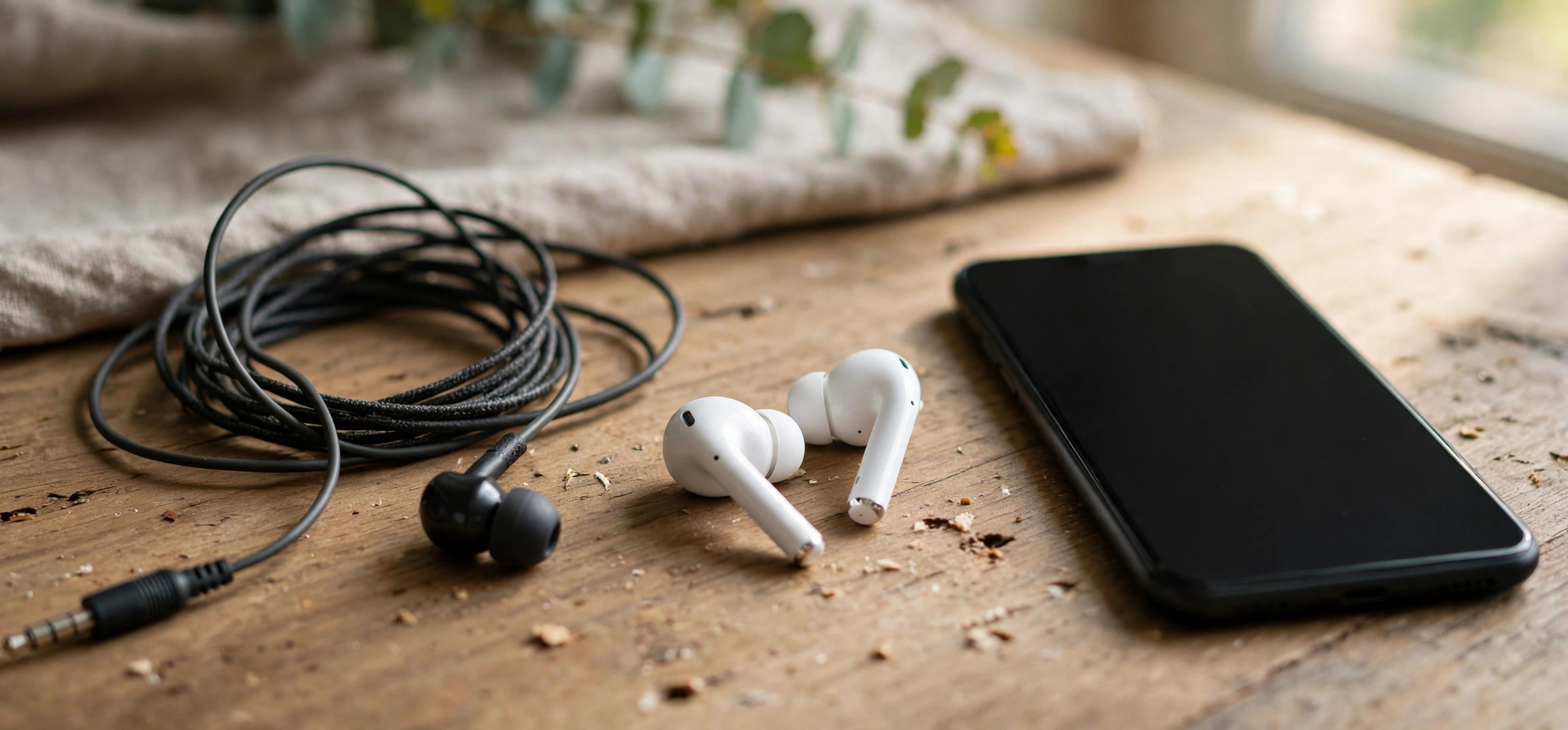
When you compare wired vs wireless earbuds which is better for phone calls is the first question worth answering, because call quality depends on completely different hardware than music quality. An earbud that sounds fantastic playing Spotify can make you sound distant, muffled, or robotic on a call. This guide compares wired and wireless earbuds specifically for voice calls: microphone performance, background-noise handling, connection reliability, latency, battery concerns, and comfort on long calls.
By the end, you will know which type suits your calling habits, what specs actually predict good call quality, and how to test any earbud before the return window closes. No brand hype — just the technical differences that decide whether the person on the other end hears you clearly.
Table of Contents
- Why Phone Calls Are a Different Test Than Music
- Wired Earbuds: Where They Win for Calls
- Wireless Earbuds: Where They Win for Calls
- Microphone Technology Compared
- Background Noise Handling
- Connection Reliability and Dropouts
- Latency: The Delay You Can Feel
- Battery Life and Long-Call Comfort
- Verdict: Which Should You Choose?
- Call-Quality Buying Checklist
- Frequently Asked Questions
- Conclusion
Why Phone Calls Are a Different Test Than Music
Music playback is one-way and forgiving: the earbud receives a rich audio stream and your ears do the rest. Phone calls are two-way and demanding. Your voice must travel through tiny microphones, get cleaned of background noise, compress into a narrow voice channel, and arrive intelligibly — all in real time. The microphone system, not the speaker driver, decides call quality.
This is why reviews focused on music tell you almost nothing about calls. Two more factors matter uniquely for calls: the Bluetooth Hands-Free Profile (HFP) that wireless earbuds switch to during calls delivers noticeably lower audio quality than the music profile (A2DP) — a limitation wired earbuds simply do not have. And microphone placement matters enormously: a mic an inch from your mouth (wired, hanging on the cable) picks up far more voice and far less room noise than mics sitting in your ears.
Wired Earbuds: Where They Win for Calls
Wired earbuds have a structural advantage for calls that wireless cannot fully erase. The inline microphone on a wired cable typically hangs near your chin or chest — much closer to your mouth than any in-ear microphone. Closer means louder voice signal relative to background noise, which is the single biggest factor in how clear you sound to the other person.
Wired connections also eliminate entire categories of call problems: no Bluetooth pairing failures, no one-earbud-drops-out mid-sentence, no battery dying at minute 40 of an important call, and zero added latency. The analog signal path is simple and deterministic. For long conference calls, customer-support work, or interviews where reliability is non-negotiable, wired earbuds remain the pragmatic choice — and they cost a fraction of premium wireless models.
The trade-offs are real but mostly about convenience, not call quality: the cable can snag and transmit rubbing noise (microphonics) if it brushes your clothing, many new phones have dropped the 3.5mm jack (requiring a USB-C or Lightning adapter), and you are physically tethered to the phone. None of these affect how you sound, though — which is the metric that matters here.
Wireless Earbuds: Where They Win for Calls
Wireless earbuds win on freedom and on modern noise-processing. Premium true-wireless models now pack multiple microphones per earbud plus dedicated AI noise-reduction chips that identify and suppress background sounds — traffic, wind, office chatter — in ways a simple wired inline mic cannot. In a noisy street or a busy café, a flagship wireless pair can make you sound clearer than a basic wired set.
Convenience factors matter for real-world calling too: no cable to snag when you pace during a call, easy switching between phone and laptop, and features like multipoint connection that keep you reachable on two devices. For people who take calls while commuting, walking, or multitasking around the house, the freedom of wireless often outweighs its technical compromises.
But the compromises are genuine. During calls, wireless earbuds drop to the Bluetooth HFP/HSP profile, which compresses both your outgoing voice and incoming audio far more aggressively than music mode — callers may notice you sound thinner or more “digital.” Connection hiccups, single-bud dropouts, and firmware quirks are all failure modes wired earbuds never experience. And battery anxiety is real on long call days: most true-wireless buds deliver 4–6 hours of talk time, less than their music rating.
Microphone Technology Compared
Understanding the microphone setup explains most of the call-quality gap. A typical wired earbud has one inline MEMS microphone positioned on the cable below your chin. It benefits from proximity: your voice arrives loud, so the mic needs little amplification, which keeps background noise low. The downside is that it also picks up cable rub and clothing rustle, and wind hits it directly.
Wireless earbuds compensate for worse placement with more hardware and software: beamforming arrays of two or three mics per bud that focus on your voice’s direction, bone-conduction or voice-pickup sensors in some models that detect speech through vibration, and AI denoising that separates voice from noise. This is genuinely impressive technology — but it is processing-intensive, adds latency, and can produce artifacts: voices that sound slightly robotic or “underwater” when the noise cancellation works too aggressively. A wired mic’s raw signal is simpler and more natural, if less processed.
Background Noise Handling
Where do you take most of your calls? The answer decides this category. In quiet environments — home office, quiet room — wired earbuds usually sound more natural because there is little noise to remove and their proximity advantage dominates. Your voice comes through full and clear with minimal processing.
In noisy environments, premium wireless earbuds with strong ANC and AI denoising pull ahead. They can suppress consistent background sounds like air conditioners, traffic hum, and crowd murmur far better than a passive wired mic. But note the word “premium”: budget wireless earbuds often have mediocre mics and weak noise processing, making them worse than even cheap wired earbuds in noise. If your calls happen in noisy places and you go wireless, the microphone system — not the brand name — is what you are paying for. Check reviews that specifically test call quality in noise, not just music reviews.
Connection Reliability and Dropouts
Reliability is wired’s most underrated advantage. A wired connection either works or it does not — there is no middle ground of stuttering, one-sided audio, or mysterious disconnects. Anyone who has had a wireless earbud drop its connection mid-sentence during a job interview knows the particular panic this causes.
Wireless reliability has improved enormously — Bluetooth 5.3 earbuds with good antennas are solid in most conditions — but failure modes remain: interference in crowded Wi-Fi environments, single-bud desync, pairing confusion when switching devices, and firmware bugs after updates. Multipoint connections, while convenient, add another layer where things can go wrong. For calls where failure is costly — interviews, client calls, telehealth appointments — many professionals keep a wired pair as backup even if they use wireless daily. If call drops plague your current setup, also rule out phone-side issues first: our guide on what airplane mode actually does explains how radio resets can resolve stubborn connectivity glitches.
Latency: The Delay You Can Feel
Latency — the delay between speaking and being heard — affects conversation flow more than people expect. Wired earbuds add effectively zero latency: what you say is what the other person hears, instantly. Wireless earbuds add Bluetooth encoding and decoding delay, typically 100–250 milliseconds depending on the codec and the call profile.
A quarter-second delay does not sound like much, but in conversation it causes the classic “talking over each other” pattern: both people pause, both start speaking, both stop. It makes calls feel slightly awkward and tiring without anyone identifying why. Low-latency gaming modes on some wireless buds help, but they often disable during calls when the HFP profile takes over. If your calls involve rapid back-and-forth discussion rather than monologues, wired has a real conversational edge.
Battery Life and Long-Call Comfort
Talk time is shorter than the headline battery figure on every wireless earbud — the microphones, radios, and noise processing all draw power. A bud rated for 8 hours of music may deliver 4–5 hours of calls. For a normal day of intermittent calls this is fine; for back-to-back meeting days, you will be juggling the charging case. Wired earbuds draw negligible power from the phone and never need charging themselves.
Comfort on long calls is personal but predictable: lighter wired earbuds with no battery bulk tend to cause less ear fatigue over hours, while some people find true-wireless buds more comfortable because there is no cable tugging. Fit matters more than type — an earbud that seals poorly will sound worse on calls regardless of wiring, because a bad seal lets in noise and leaks your voice outward. Try before the return window closes.
Verdict: Which Should You Choose?
Choose wired earbuds for calls if: call reliability is critical for your work; you take long conference calls; you want the most natural voice quality in quiet rooms; you hate charging accessories; or you want great call quality for very little money. A decent wired pair with a good inline mic outperforms wireless buds costing five times more in a quiet room.
Choose wireless earbuds for calls if: you take calls on the move, in noisy environments, or while multitasking; you value freedom from cables above all; and you are willing to pay for a model with a genuinely good microphone array — not just good music sound. For noisy commutes, premium wireless with AI denoising is the better tool.
The pragmatic answer for most people: own both. Use an inexpensive wired pair as your dedicated call headset for important conversations at your desk, and wireless buds for everything mobile. The combined cost is often less than one flagship wireless pair, and you get the best of both worlds. Unwanted calls are a different problem entirely — if spam calls are eating your day, see how to block spam calls on Android without an app.
Call-Quality Buying Checklist
Whatever type you choose, run through this checklist before buying:
- Read call-specific reviews. Music reviews do not count. Look for reviewers who record sample calls in quiet and noisy conditions.
- Count the microphones. For wireless, more mics plus dedicated noise processing beats fewer mics. For wired, check the inline mic has noise reduction, not just a bare capsule.
- Check the call Bluetooth profile. For wireless, confirm the buds support a stable HFP implementation and multipoint if you use two devices.
- Verify talk-time battery separately. Ignore the music-playback figure; find the rated talk time for wireless buds.
- Test the fit. A poor seal ruins call quality for any earbud type. Try all included tip sizes.
- Confirm compatibility. No headphone jack? Budget for a quality USB-C or Lightning adapter — cheap adapters add hiss.
- Test within the return window. Make real calls in your real environments — your quiet room and your noisy commute — in the first week.
For background on the underlying wireless tech, the Wikipedia overview of Bluetooth explains the profiles (like HFP and A2DP) that create the call-quality gap described above.
Frequently Asked Questions
Do wired earbuds really sound better on calls than AirPods or Galaxy Buds?
In quiet environments, a good wired earbud’s inline mic often sounds more natural because it sits closer to your mouth with no Bluetooth voice compression. In noisy environments, flagship wireless buds with AI noise cancellation can sound clearer. It depends on where you call, not just which product is more expensive.
Why do my wireless earbuds sound worse during calls than when playing music?
During calls, Bluetooth switches from the high-quality A2DP music profile to the HFP hands-free profile, which uses much heavier compression for two-way voice. This is a Bluetooth standard limitation, not a defect in your earbuds — every wireless headset does this.
Can I use wired earbuds with a phone that has no headphone jack?
Yes, with a USB-C or Lightning to 3.5mm adapter. Use a reputable adapter — very cheap ones can introduce hiss or reduce microphone quality. Many phones include one in the box, and digital adapters with built-in DACs generally sound better than the cheapest analog pass-throughs.
How many microphones do wireless earbuds need for good calls?
There is no magic number, but flagship call performers typically have three or more mics per bud plus a dedicated processing chip. More important than the count is beamforming and noise-reduction quality — read call-specific test results rather than counting mic holes.
Do wireless earbuds work well for video calls on a laptop?
Usually yes, with the same caveats: the HFP profile limits audio quality, and multipoint switching between phone and laptop can occasionally glitch. For important video meetings, a wired connection to the laptop is still the most reliable option.
Is it worth buying expensive earbuds just for calls?
Only if you call in noisy places. For quiet-room calling, an inexpensive wired pair delivers excellent voice quality — spending more buys convenience and features, not clearer voice. Spend the premium only when you need top-tier noise suppression on the move.
Conclusion
For phone calls, wired earbuds win on voice naturalness, reliability, latency, and value — the inline mic’s proximity to your mouth and the absence of Bluetooth voice compression are advantages physics favors. Wireless earbuds win on freedom and on AI-powered noise suppression in loud environments, provided you buy a model with a genuinely good microphone system. Match the choice to where you actually take calls, test in real conditions during the return window, and consider owning both: wired for the calls that matter, wireless for the life in between.